THE WATCH GUIDE
Your next great watch.
Starts here.
Pick your app. Connect your library. Find your next little escape. Clear guides for the screen in your car.
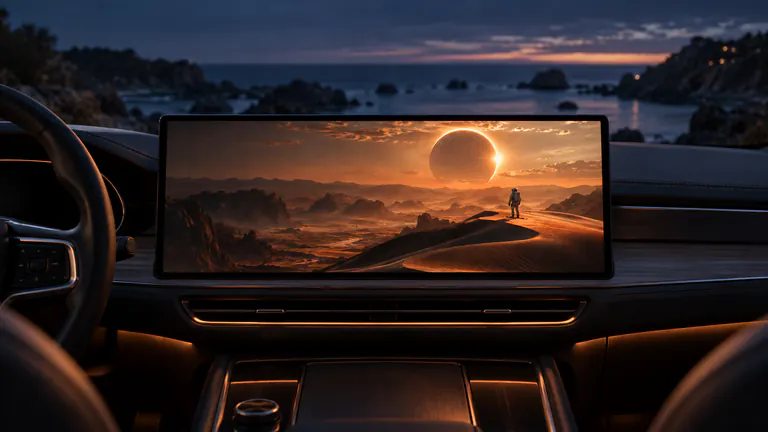
Movies on CarPlay. Your complete starting point.
From your first saved video to a personal car cinema. Find your source, choose your display, and press play.
Explore the guideWhat would you like to watch?
Search by app, source, or the question on your mind.
How to watch movies on CarPlay.
The next episode. That film you keep meaning to watch. Give both a bigger screen, and make your next charging stop, lunch break, or quiet evening worth settling into.
6 min read
Cast your iPhone apps to CarPlay.
The YouTube video worth watching properly. The TikTok that deserves an audience. The page you want everyone to see. Let the phone do the choosing and your car screen do the showing.
6 min read

Your movies. Your shows. Your car TV.
A sitcom at the charger. Live TV over lunch. Your own film collection under the stars. Build a car TV experience around the things you already love watching.
6 min readWatch movies while charging. A better kind of waiting.
Plug in. Pick up your episode. Let the next twenty minutes be yours. A charging stop feels different when there is something good on.
6 min read
Car camping movie night. Pack a little cinema.
Dinner is done. The view is yours. Now for the film you brought along. Make a night at the campsite feel like a screening made just for you.
6 min readWatch movies in your parked car. Make the wait yours.
Early for a pickup. Between appointments. A few minutes before the rest of the day begins. Have something better waiting for you than another empty scroll.
6 min readYour car lunch break. Now with a next episode.
Lunch packed. Favorite show ready. For a little while, the next thing on your list can be something you actually want to watch.
6 min readRoad trip movies. Pack for the pauses.
The scenic stops. The charging breaks. The evening before tomorrow’s miles. Bring a watchlist for the parts of the trip when you are staying a little while.
6 min read
Offline movies. Ready for your car.
Past the last strong signal. Beside a quiet campsite. Halfway through a charging stop. The best time to load your movie is before you need it.
6 min readYour Plex library. Your CarPlay cinema.
You already built a great movie library. Give it another place to shine, from a familiar episode at the charger to a favorite film at the campsite.
6 min readJellyfin on CarPlay. Your library goes with you.
The collection you made your own. The episode you left halfway through. Bring them from your Jellyfin server to the next good stop along your day.
6 min read
IPTV on CarPlay. Your channels. Your front row.
A live program over lunch. A channel you follow at the charger. Bring your own TV lineup along and give the next parked break something good to tune into.
6 min readYour M3U playlist. From iPhone to CarPlay.
One playlist. Your favorite channels. A much nicer way to find something live. Turn the link you already have into a TV lineup you can actually browse.
6 min readEmby on CarPlay. Keep the story with you.
Your posters. Your seasons. The next episode waiting right where it should be. Take your Emby collection into the moments between destinations.
6 min readSMB videos. From your NAS to CarPlay.
The films in your folders do not need another home. Connect the share you already use and give your own collection a bigger place to play.
6 min readWebDAV videos. Made for your CarPlay break.
Your video folders, one familiar address away. Open the films you already keep and bring them from your server to a screen worth settling in front of.
6 min readYouTube on CarPlay. Give it the big-screen treatment.
The travel film you saved. Your favorite creator’s new video. Something worth more than a quick glance. Make the next parked break the time you finally watch it.
6 min readTikTok on CarPlay. That clip deserves company.
The place you want to visit. The recipe you both need to try. The video that made you laugh out loud. Give “you have to see this” a screen you can share.
6 min readInstagram Reels on CarPlay. Share the good part.
The Reel that inspired tomorrow’s plans. The place your friend discovered. The clip with a story behind it. Put the moment where you can enjoy it together.
6 min readSafari video on CarPlay. Take the page beyond your phone.
A film on your own website. A travel page you want to show. A video someone shared by link. Choose the right route and give it more room to be seen.
6 min readYour iPhone videos. Your CarPlay premiere.
The first steps. The last trip. The view you still talk about. The best thing on the car screen might already be in your camera roll.
6 min readWhat is CarPlay video? Find your way to watch.
One dashboard. A few different ways to put a picture on it. Here is how to choose the route that fits your movie, your apps, and the screen in your car.
6 min readAirPlay vs CarPlay. The right route to your next watch.
A movie file. A favorite app. The screen in your car. Understand how they connect, and your first watch becomes a much simpler decision.
4 min readCarPlay AI box or iPhone app? Start with the screen you have.
You want a movie on your car screen. Before choosing more hardware, understand where the video will run and what your existing display can receive.
4 min readCarPlay video not working? Find where the picture stopped.
A missing display, a black video and a buffering movie need different checks. Start with one familiar clip and find the step that gets your watch moving again.
4 min readCarPlay video is black? Find the picture again.
You can hear the video, but the picture is missing. Compare one personal clip with the source you wanted to share, and find the route worth checking next.
4 min readCarPlay video. No sound? Let’s find the missing piece.
A great video deserves its audio. Check the clip, the phone and the receiving screen in a simple order, so the next change has a reason.
4 min readCar display not showing? Find the right connection first.
Your movie is ready. Now find the receiving screen: check its video route, follow its connection instructions and choose it before starting the show.
4 min readM3U vs M3U8. Know what you’re opening.
A channel lineup and a video stream can both arrive as a playlist link. Learn the difference, choose the right source and get to the thing you wanted to watch.
4 min readM3U8 on your iPhone. Ready for a bigger view.
Have a direct HLS link for something worth watching? Open it on your iPhone, keep the stream in one place and take it to a compatible car display while parked.
4 min readIPTV playlist not loading? Find where the watch stopped.
An empty list, one broken channel and a buffering broadcast are different problems. Check the stage that failed and get your own lineup ready for the next stop.
4 min readLive sports on CarPlay. Make the most of your stop.
A charging break during the match. A parked pause before the final whistle. Bring your own live sports source and give the action a screen worth watching.
4 min readYour NAS movies. From home to CarPlay.
The films are already yours. Choose how your iPhone reaches the library, prepare what you want to take and give your next parked stop something great to watch.
4 min readPlex. Jellyfin. Emby. Your next episode. On CarPlay.
You have already built a library you love. Choose the server you use, keep its structure and make your next parked stop another place to continue the story.
4 min readDownload movies for CarPlay. Look forward to the next stop.
The best movie for a quiet campsite or an uneven signal is the one already on your iPhone. Prepare a few favorites, check the copies and take your own cinema along.
4 min readYour video link. From iPhone to CarPlay.
A standalone film, a personal recording or a stream from your own source. Give the direct video link a home on your iPhone and a route to your car screen.
4 min readCarPlay video buffering? Find a smoother next scene.
When a movie keeps pausing, the first fix is knowing what is waiting. Compare the source on your phone, a local clip and the receiving display to narrow it down.
4 min readCarPlay video without Wi-Fi? Start with a movie that’s ready.
“Offline” can mean two different things in a car. Make the movie local, understand how your display connects and prepare a watch that fits your actual setup.
4 min readCarPlay video. Full frame. The right kind of fit.
A widescreen movie and a vertical Reel should not have to look the same. Keep the frame you want, understand the black bars and check captions on the screen you use.
4 min readTV shows on CarPlay. Your next episode. At your next stop.
The cliffhanger does not have to stay in the living room. Bring your series, keep your place and turn the next parked pause into another chapter.
4 min readIPTV channel groups on iPhone and CarPlay. Twenty channels, not nine thousand.
Nine thousand IPTV channels in one scrolling column, and the twenty you watch are somewhere inside it. The grouping lives in the playlist file. Here are the lines that decide it.
7 min readVideo formats for iPhone and CarPlay. Settled on the phone, shown on the screen.
A file arrives and the only clue on it is three letters after the dot. Here is what those letters decide, long before the dashboard sees anything.
7 min readPlay MKV files on iPhone and CarPlay. One container, all its tracks.
The MKV sitting in your Files app is one container holding several tracks. Open it in a player that reads all of them and the film starts.
7 min read
Play an AVI on iPhone and CarPlay. And the WMV, the TS and the VOB beside it.
An .avi from a burned disc, a .wmv from a work archive, a .ts from a recorder. Old containers still open, and the file goes in as it is.
7 min readVideo plays, but no sound? On iPhone, and on the car display.
The bar moves, the picture is clean, the mute switch is already off and nothing comes out of the speaker. That silence has a cause you can name.
7 min readSRT subtitles on iPhone and CarPlay. One file, named to match.
A film in one folder and its subtitle file right beside it. Give that file the video’s name and the player finds it on its own, with nothing to import.
7 min readSubtitles not showing on iPhone or CarPlay? What you see names the cause.
Four different problems look like one problem. Start with the Audio & Subtitles menu, then match what is on screen to the cause that produced it.
7 min readSkip Intro on iPhone and CarPlay. Jellyfin and Plex mark it. Your phone draws the button.
The same forty seconds of theme music, every episode, all season. The marks that let a player jump it are made on the server, then read on the phone.
7 min readNo exact match. Try an app name, a source, or a shorter question.

YOUR NEXT STOP HAS A BETTER PLAN
Your car already has a screen.
Give it something great.
Your movies, TV shows and favorite apps. A whole new way to enjoy the screen in your car.
For iPhone & iPad · iOS 26.4+