CARPLAY CINEMA & IPHONE SCREEN MIRRORING
Movies. TV shows.
Your apps. On CarPlay.
The movies you saved. The series you follow. The apps you open every day. Bring them to your car screen with Dashow.
For iPhone & iPad · iOS 26.4+ · Enjoyed in park
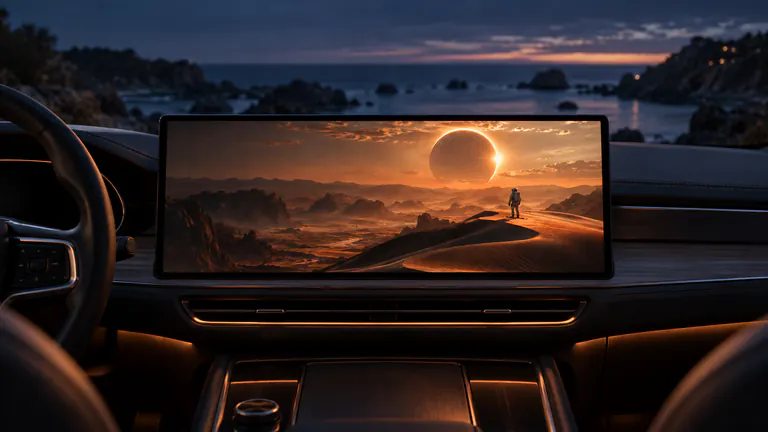
Movies & TV
Movies, episodes and live TV. Right here.
Start with a saved film, your next episode, or your own live channel. Choose a compatible car display and settle in.

Movies. Made for a bigger screen.
A favorite film in Files, a video in Photos, or something great from your media server. Press play on your own personal cinema.
Watch movies on CarPlay
The next episode comes along.
Continue the series you started at home. Keep a few episodes ready for your next charging session or lunch break.
Bring your TV showsYOUR EVERYDAY APPS. A VERY DIFFERENT VIEW.
From your phone.
To your front-row seat.
Your subscriptions. Your saved clips. Your favorite creators. Open Cast to Car, choose your display, and give shareable app content a bigger stage.
Your favorite creators. A bigger picture.
Long-form videos, travel films, tutorials, and the channels you come back to. Make the next video a car-screen moment.
Your For You page. With a front-row view.
A few spare minutes? Bring the clips you love to your car display and keep every swipe in your hand.
Apps that allow screen capture can be mirrored; protected video may restrict sharing. Product illustration. App and display compatibility apply.
TWO WAYS TO MAKE IT YOURS
Your cinema.
Or your whole screen.
Play directly from your Dashow library. Or start Cast to Car and open the app you want to share. One app. Two great ways to spend a stop.
Movies, episodes and live TV. Right here.
Start with a saved film, your next episode, or your own live channel. Choose a compatible car display and settle in.
Your apps. A bigger stage.
Your phone is the remote. Your car is the screen.
Start screen sharing in Dashow, then open YouTube, TikTok, Instagram or another app. Choose what to watch on your phone; enjoy it on your car display.
Apps that allow screen capture can be mirrored; protected video may restrict sharing.Interactive product illustration. App and content compatibility apply.
YOUR CONTENT. YOUR WAY.
Bring your whole
watchlist.
Plex at home. An M3U playlist for live TV. Movies saved for the journey. Connect what you already use and keep it beautifully together.
Plex
Your movies, shows and Continue Watching.
Jellyfin
Your personal server. Your next episode.
Emby
Bring your own media library along.
IPTV & M3U
Your live channels, ready for the break.
SMB & NAS
The movie folder you already have.
WebDAV
Your video files, through a familiar source.
Files & Photos
Personal videos. Favorite memories.
Video links
Go straight from a media URL to play.
GREAT STORIES. EVEN OFF THE GRID.
Download tonight. Watch wherever tomorrow stops.
Save movies or episodes from your server, or import videos from Files and Photos. Your next great watch can be on your iPhone before you leave home.
Build your offline watchlistMAKE MORE OF EVERY STOP
Life has waiting time.
Now it has showtime.
A charging session. A quiet lunch. A night under the stars. There’s a different kind of watch for every moment.
Recharge the car. Catch the next episode.
Twenty minutes to charge. Just enough time for the story to get good.

A movie night. Miles from ordinary.
A quiet spot, a blanket, and the film you’ve been saving for a night like this.
A little time. Entirely yours.
A lunch-break watch. A video while you wait. Make the in-between feel like a break.
YOUR FIRST GREAT WATCH STARTS HERE
Three steps. Then press play.
- 01
Make it yours.
Get Dashow on your iPhone. Add a movie, connect your media server, or bring your TV playlist.
- 02
Meet your big screen.
Park, connect to CarPlay, and choose your compatible car display in Dashow.
- 03
Find your next escape.
Press play on your library, or start Cast to Car and open the app you want to share.
START WITH WHAT YOU WANT TO WATCH
Find your way to play.
Get a clear setup for your app, your library or your next stop.
iPhone Duo
Ready for iPhone Duo.
Dashow is adapted for iPhone Duo. Bring your own videos, Plex, Jellyfin, Emby and IPTV playlists to your iPhone Duo video library.
Compatibility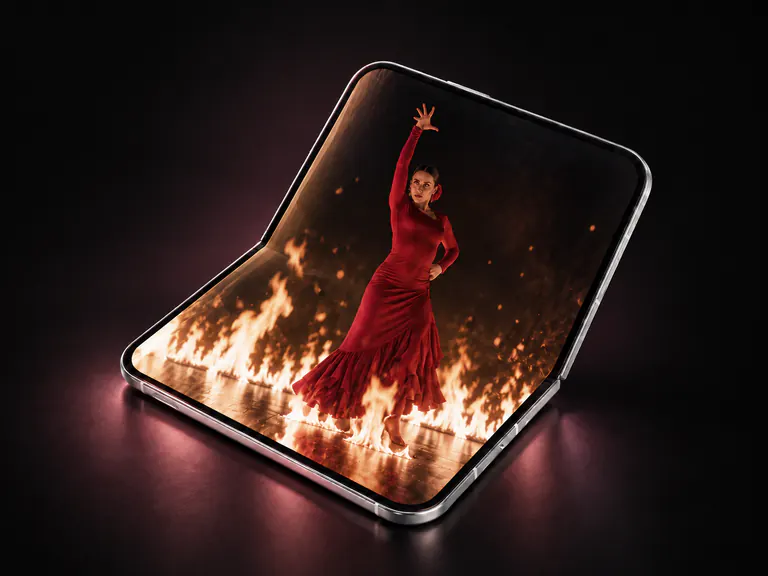
GOOD QUESTION
A few things you might be wondering.
What is Dashow?
Dashow is a video player and screen-casting app for iPhone and iPad, built around your CarPlay cinema. Bring movies, TV shows, personal videos, and your own live TV playlists together, then enjoy them on your device or a compatible car display while parked.
Does Dashow support iPhone Duo?
Yes. Dashow is adapted for iPhone Duo. Dashow also supports iPhone and iPad with iOS or iPadOS 26.4 or later. For playback on a car screen, select a compatible video display in Dashow while parked.
Can I watch movies on Apple CarPlay?
With a car display that supports video output, you can bring supported videos from your iPhone to the screen while parked. Dashow gives you a personal video library and a display picker to get started. Your vehicle’s video capabilities determine the available output; the compatibility guide helps you find your setup.
Can I cast other apps to my car screen?
Open Cast to Car, choose your display, and start screen sharing. Then open the app you want to share. Apps that permit screen capture can appear on the selected display. Some streaming services protect their video from recording or mirroring, so sharing depends on the app and your display.
Where do the movies and TV channels come from?
You bring the content you love. Import videos from Files or Photos, connect Plex, Jellyfin, Emby, SMB, or WebDAV, or add a video link or your own M3U playlist. Dashow is your player and library; streaming subscriptions and TV channels come from your own sources.
Can I save something to watch offline?
Yes. Import a video to keep a local copy, or download supported movies and episodes from your Plex, Jellyfin, or Emby server. Prepare your downloads on Wi-Fi before leaving, then play the saved files without streaming them over mobile data. Your car display connection still needs to be available.
What devices and languages does Dashow support?
Dashow is built for iPhone and iPad with iOS or iPadOS 26.4 or later. The app supports English, Simplified and Traditional Chinese, Japanese, Korean, Arabic, French, German, Spanish, Italian, Brazilian Portuguese, Dutch, Polish, Swedish, and Turkish.

YOUR NEXT STOP HAS A BETTER PLAN
Your car already has a screen.
Give it something great.
Your movies, TV shows and favorite apps. A whole new way to enjoy the screen in your car.
For iPhone & iPad · iOS 26.4+