YOUR CARPLAY CINEMA
How to watch movies on CarPlay.
To watch movies on CarPlay with Dashow, add a video on your iPhone, connect to a car display that supports video, and select that display in the player while parked. Start with a local video, then bring in your movies and TV shows from Plex, Jellyfin, Emby, or other supported sources.
- 01
Bring films and TV episodes from Files, Photos, or your existing media server.
- 02
Save a local video before the trip to make your first watch independent of mobile data.
- 03
Check video support on your car or receiver; the CarPlay connection alone is not the video test.
How it works
Your quick start
- 01
Bring a movie
Open Add in Dashow and choose Files, Photos, a Video link, or your media server.
- 02
Check it on iPhone
Play a familiar scene and confirm the picture, sound, and playback controls.
- 03
Choose your car display
Once parked and connected, select the compatible display from the player’s display control.
- 04
Make yourself comfortable
Press play. Pause when the break ends, then return through Continue Watching.
Start with a movie you already have.
Your first CarPlay movie should be easy to find and easy to test. A short video saved on your iPhone is ideal: you know what the picture and sound should look like, and a poor mobile connection cannot interrupt the source. In Dashow, open Add, choose Files or Photos, and import the video into your library.
Open the imported video on your phone and play a familiar scene. Try pause and resume, then move to a different point in the timeline. A working picture, audible dialogue, and responsive controls give you a clean starting point before adding the car display to the setup.
Take your film collection and TV shows along.
Already keep a library on Plex, Jellyfin, or Emby? Connect that server instead of moving every film by hand. Browse movies, open a show, and choose a season or episode. Continue Watching brings an unfinished story back into view, while Next Up helps you find the next part when the current episode ends.
For folders on a NAS or computer, add an SMB or WebDAV connection. For a single online file, use Video link. Pick the route that matches where your content actually lives; a streaming service’s watch-page address is different from a direct video-file URL.
Move the picture to your CarPlay display.
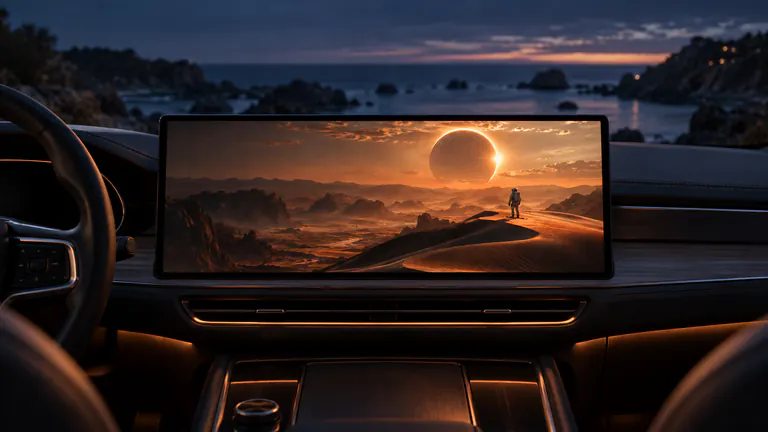
With the car parked, connect your iPhone and open the movie in Dashow. Use the player’s display control to choose the compatible car display. Confirm that the actual video appears on the screen, then check sound and a pause command. Seeing a display name in a picker is one step; seeing your scene play there completes the check.
Dashow requires iOS 26.4 or later. Your vehicle or receiver also needs video capability. Look for the manufacturer’s video-in-car or external-video instructions if the screen offers only the usual navigation and audio experience.
Match your watch to the time you have.
A single episode makes a satisfying charging break. A personal video is perfect for a quick shared moment. A campsite evening leaves room for the film you have been saving. Choose before the stop and you spend more of the break watching, with less time searching through a library.
For places with uncertain reception, import a file or complete a supported server download on Wi-Fi beforehand. Open that saved copy once before leaving. Pause at the end of your break; Dashow remembers your place so the next stop can start with the story.
If the first picture does not appear, narrow it down.
Replay the same file on your phone. If it fails there, try another known-good file or inspect the original source. If it plays on iPhone but not the selected display, check the receiver’s video support and reconnect the display. Test a local video before changing server settings: this separates a source problem from a display problem.
Choose your easiest first movie
| Your starting point | Use in Dashow | Best for |
|---|---|---|
| A video already on iPhone | Files or Photos import | A dependable first setup and offline watching |
| An organized film collection | Plex, Jellyfin, or Emby | Posters, seasons, and your next episode |
| A network folder | SMB or WebDAV | Videos kept on a NAS or computer |
| An app on your phone | Cast to Car | Sharing permitted app content |