ONE VERY COZY DOUBLE FEATURE
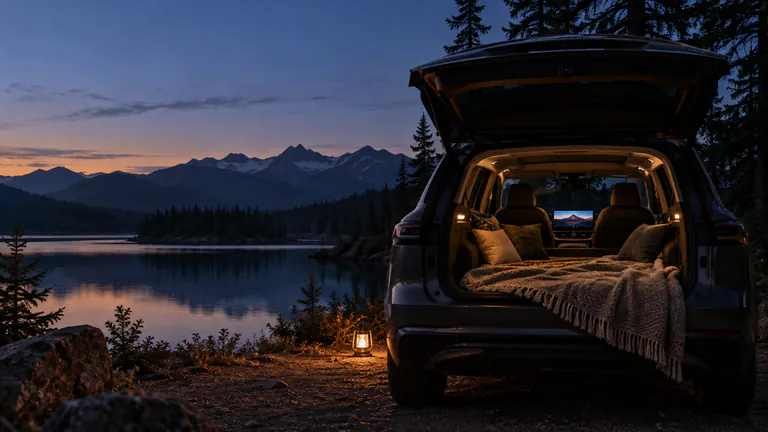
Car camping movie night. Pack a little cinema.
For a car camping movie night, save your films on iPhone before leaving, test the saved copies in Dashow, and check your compatible car display while parked. Pick a film and a shorter backup, confirm the picture and sound, and prepare the car’s normal parked power setup according to its manual.
- 01
Download the whole movie before heading beyond reliable reception.
- 02
Check audio, subtitles, and the display at home, where setup is easy to change.
- 03
Bring one feature and a shorter alternative so the evening can find its own pace.
How it works
Your quick start
- 01
Pack the watchlist
Choose a movie together and add a shorter second option.
- 02
Save and test
Import your videos or download supported server titles, then open the local copies.
- 03
Prepare your parked setup
Check the receiver, sound, comfortable viewing position, and your car’s power instructions.
- 04
Settle into the story
Select your compatible display, press play, and pause whenever the evening calls for it.
Pack a movie like you pack a favorite blanket.
A good camping movie is less about having every possible title and more about bringing the right one. Choose a film you both want to see, a comfort watch for a tired evening, or the next episode of a series you are following. Decide before leaving, while choosing still feels easy.
Keep a shorter option too. The weather, dinner, or the conversation may change the shape of the evening. A prepared episode or short personal film gives you another way to enjoy the screen without committing to a full feature.
Make the campsite independent of your home network.
Import a video from Files or Photos, or complete a supported Plex, Jellyfin, or Emby download in Dashow. Wait for the progress indicator to finish. Open the saved copy, play the start, and seek to a later scene so you know more than just the poster is available.
A NAS folder or server library that opens at home may not be reachable at the campsite. That is why a local copy is useful. An M3U live channel also needs a connection while you watch; a saved playlist is not a saved broadcast.
Check the details that matter after dark.
Play your chosen film on the actual car display while parked before the trip. Check the picture from the seat where you plan to watch and listen to a dialogue scene. If you use subtitles, check them on that display too; seeing text on the phone does not prove it appears on the receiver.
Make sure you know where pause, volume, and the end-of-session controls are. A familiar setup is particularly welcome when you are already at the campsite and would rather enjoy the evening than work out a connection.
Let the car become a comfortable place to watch.
Use the vehicle’s documented parked power or camping features, where available, and check how the display behaves over the length of a movie. Dashow does not control the vehicle’s power system or promise a particular runtime. Plan that part using your car’s own instructions.
Keep the screen comfortable for the available light and choose a listening level that suits the campsite. The film can be the whole evening or just its last little chapter. You do not need a complicated setup for a familiar story to feel special somewhere new.
Let tomorrow keep the rest of the story.
Use the player’s sleep timer when you want to stop after a set interval or at the end of the video. Pause earlier if the evening winds down. Dashow saves your place, making it easy to return during breakfast or another parked stop instead of finding the scene again.
After the trip, clear finished downloads in Storage and make room for the next outing. Keep the films you know you will return to. A small library you actually enjoy is more useful than a huge collection you have to browse in the dark.